Three steps.
Zero hardware.
From the moment the host loads the budget to the moment the venue settles — Ceremoney handles every step automatically. Runs alongside your existing setup.
Before the event
Set up in under 10 minutes. Budget loaded, guestlist built, and every guest has their QR code before they arrive.
At the event
Guests arrive with QR codes ready. Bar staff scan on any device. Transactions confirmed in seconds — no hardware required.
After the event
Auto-reconciliation. Venue paid out net of fees. Host receives a full itemised report. Zero manual steps.
01 — Before the event
Set up in under 10 minutes.
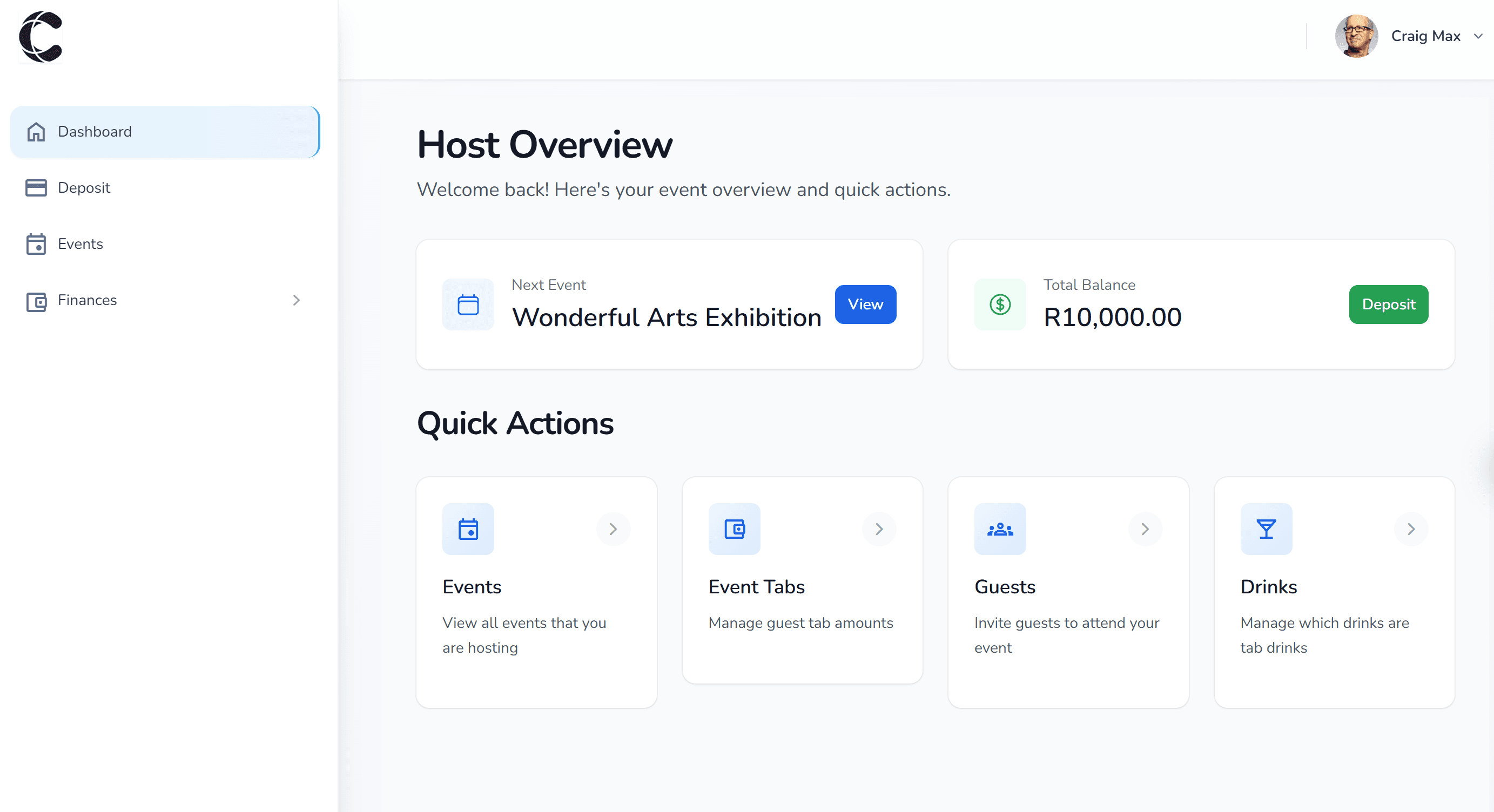
The venue creates the event and the host gets access to their Ceremoney dashboard. Budget, guestlist, and invites — all done before the day. Nothing left to chance on the night.
Venue creates the event
Takes minutes in the Ceremoney back-office. Event name, date, and bar configuration all set here.
Host sets the budget and per-guest limits
Overall spend cap plus optional per-guest allowances. Funds load via credit card through Paystack — held securely until the event ends.
Guestlist built, invites sent via WhatsApp
Hosts add guests in the dashboard. Invites go out automatically via WhatsApp with a personalised event link — no manual sending.
Guests RSVP and get their QR code instantly
Guests tap the link, download the Ceremoney app, confirm attendance — and their unique QR code appears immediately. Ready before they walk in the door.
02 — At the event
QR to confirmed. In seconds.
Guests arrive with their QR codes ready in the app. Bar staff work on any standard smartphone — no card machines, no drink tickets, no queues.
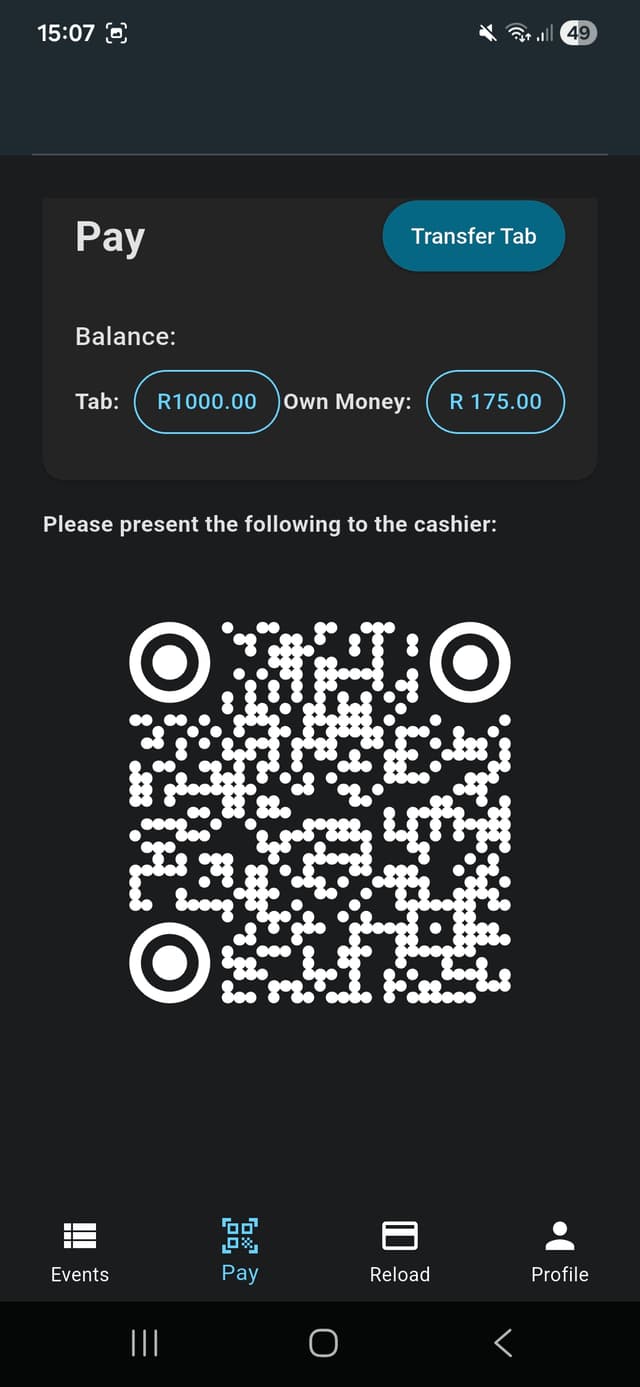
Guest shows QR code at the bar
The QR code lives in the Ceremoney app on the guest's phone. No printing required, no physical card to hand out on the night.
Staff capture the order and scan
Bar staff log the order on the Ceremoney cashier app and scan the guest's QR code. The whole transaction takes seconds.
Guest's balance updates in real time
The guest sees their remaining balance in the app live. When the limit is reached, the QR declines automatically — no manual checking needed.
Host monitors spend from anywhere
The live host dashboard updates with every transaction. Hosts can top up any guest's balance remotely and instantly — without leaving the room.
03 — After the event
Settled automatically. Every time.
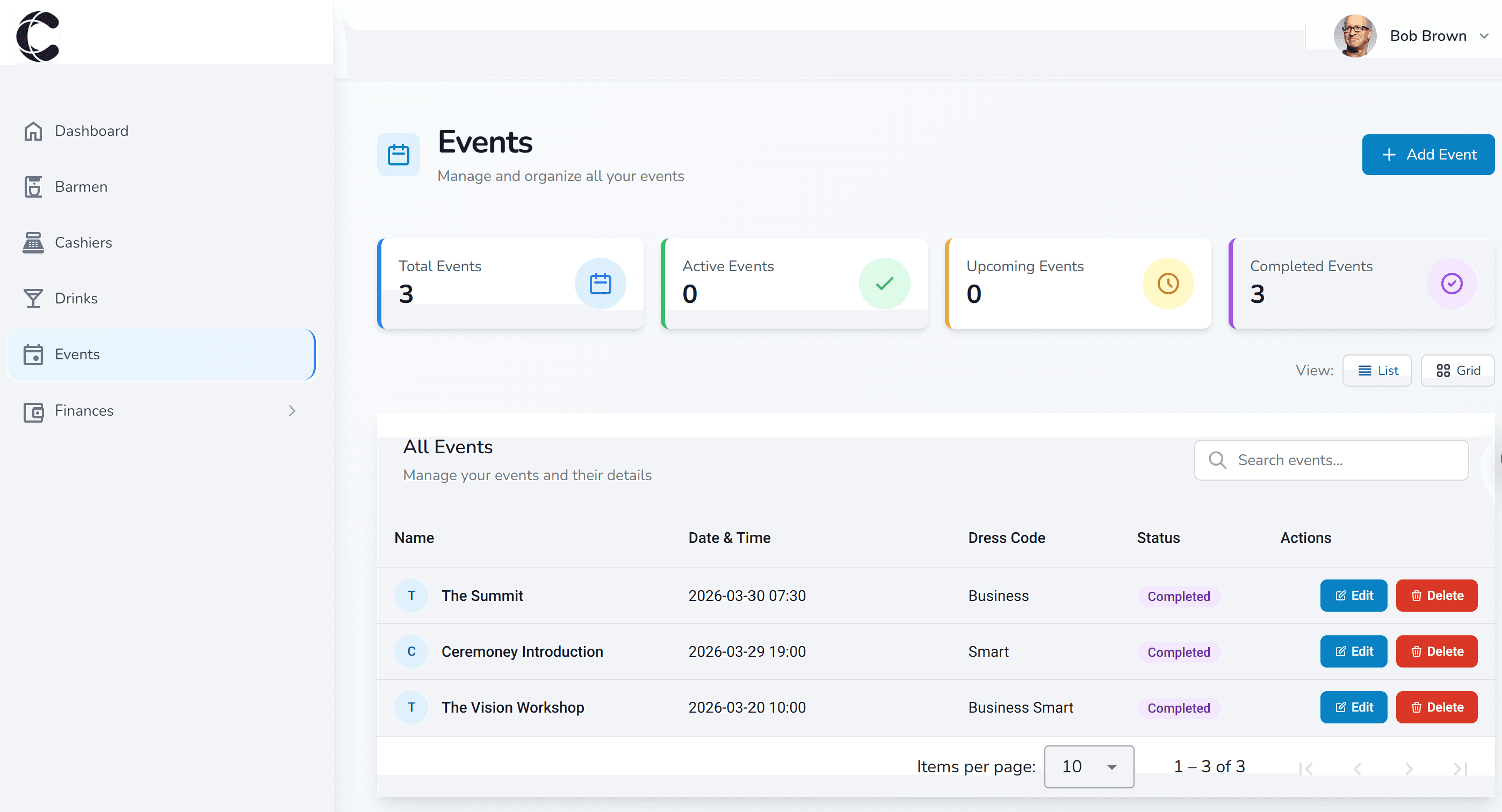
When the event ends, Ceremoney reconciles everything and settles with the venue automatically. The host gets a full itemised report. No disputes, no counting, no chasing.
Auto-reconciliation runs immediately
All tab transactions are reconciled against the preloaded budget the moment the event closes. No manual steps required.
Venue settled net of fees
Ceremoney pays out the venue for all bar tab spend, less the 1.5% transaction fee. No invoices to raise, no delays.
Host receives a full itemised report
Every transaction, every guest, every cent — delivered automatically. Irrefutable and ready for any finance sign-off.
Unspent balance returned to host
Any budget the guests didn't use is returned to the host. No write-offs, no rounding, no surprises.
Designed to fit in, not take over.
No ripping out what works. Ceremoney sits on top of your existing operation.
Runs alongside your POS
Ceremoney manages the hosted tab layer only. Your POS handles all other transactions. No integration, no disruption, no retraining.
All you need is Wi-Fi
No RFID hardware, no wristband printers, no new card machines. Bar staff use the Ceremoney cashier app on any standard smartphone or tablet.
Bank-level security
All transactions are processed via Paystack with full encryption. Funds are held securely and settled automatically post-event.
Questions we get asked.
How do guests get their QR codes?
The host builds the guestlist in their Ceremoney dashboard and invites are sent automatically via WhatsApp. Each invite includes a link — guests who don't have the Ceremoney app yet are taken straight to the download. Once they download the app and RSVP to the event, their unique QR code appears instantly. No printing, no distribution on the night.
Does Ceremoney replace our POS system?
No. Ceremoney manages the hosted tab layer — who has a budget, how much has been spent, per-guest limits. Your existing POS handles all other transactions. The two systems run side by side with zero integration required.
What do bar staff need to use Ceremoney?
Bar staff use the Ceremoney cashier app on any standard smartphone or tablet. They capture the drinks order in the app, scan the guest's QR code, and the transaction is confirmed in seconds. No RFID readers, no wristband printers, no additional card machines.
How long does setup take?
For a new event: the host creates the event, loads their budget, and invites guests in under 10 minutes. For your venue: a staff member needs a device with the cashier app and a Wi-Fi connection. That's it.
What if a guest's allowance runs out?
The guest's QR code declines at the bar, exactly like a card when the limit is reached. The host can top up any guest's balance from anywhere, in real time. Auto top-up can also be enabled so the tab keeps running without the host needing to intervene.
What tab formats does Ceremoney support?
Ceremoney supports open tabs, closed tabs, split tabs, and cash bars — so it works regardless of how you structure your hosted bar. Guests can also share or transfer tab credit between each other within an event.
How does payment work?
Hosts load funds via credit card through Paystack (bank-level encryption). After the event, Ceremoney settles with the venue for all tab transactions, net of fees.
What if we have no internet at the venue?
Ceremoney requires a stable internet connection for QR code processing. Most venues with a hosted bar have reliable Wi-Fi — this is a one-time check during the pilot event.
Ready to see what it costs? View pricing — from R300 per event

Ready to run your first event?
Book a 15-minute demo with Angela. We'll walk you through everything — live.